Loading
Loading
Loading
It is important that you specify whether the event fees on your account are subject to VAT. It has an impact on the invoices we send on your behalf.
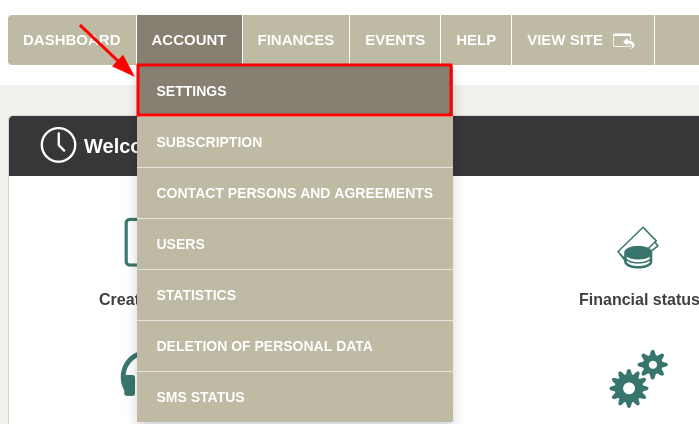
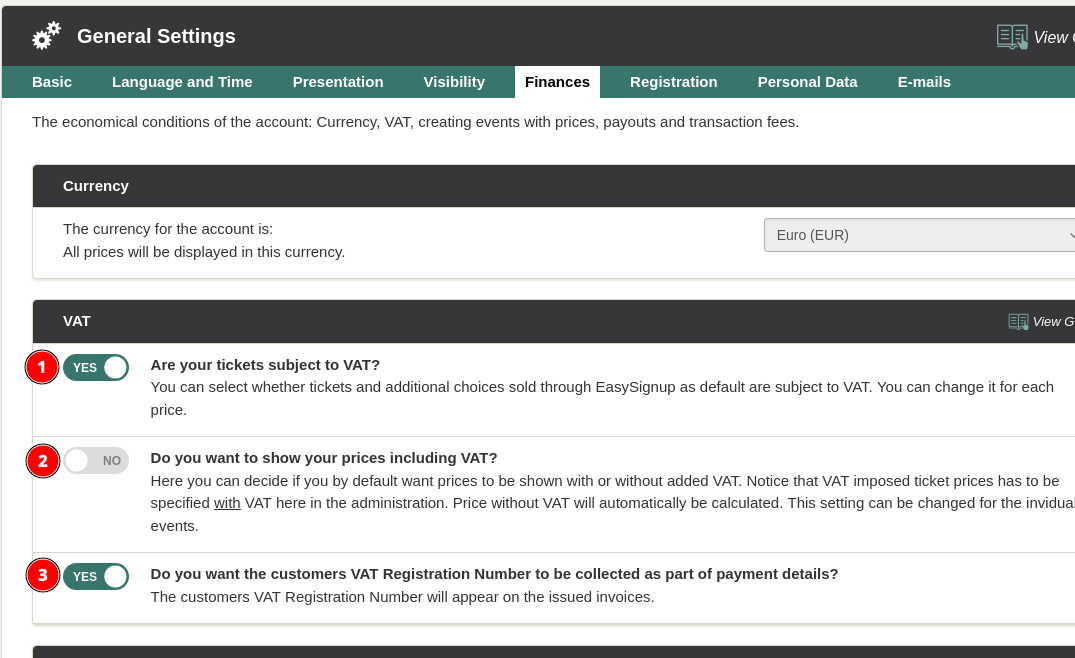
NOTE: Remember to always enter prices with VAT, when you create an event. The system calculates the prices to match, if you have selected to show prices without VAT.
(3) Here you can choose whether you wqant the dustomers VAT Registration Number should be collected as a part of the payment details. If collected, it will appear on their iinvoices.
Click "Save Settings" when you are done.
Note: You can change these VAT settings for a single event on the page where you edit the event. Find a guide here.
We've made a series of videos showing you how to use EasySignup.
Watch introductory videosWhether you are a participant or an organizer, some of the questions you might have about the IT-system are answered here.
Read the answers
Mette Jellesen and Jacob Thomsen
Support and Communication