Loading
Loading
Loading
When you send out invitations to an event, it is relevant to see where visitors to your registration page come from. You can use this information e.g. to see which channels are most effective when attracting attendees.
EasySignup gives you an overview of where visitors to your registration pages come from. You can also see conversions i.e. the percentage of visitors who register for an event.
Find the overview under Account->Statistics in the top of the dashboard.
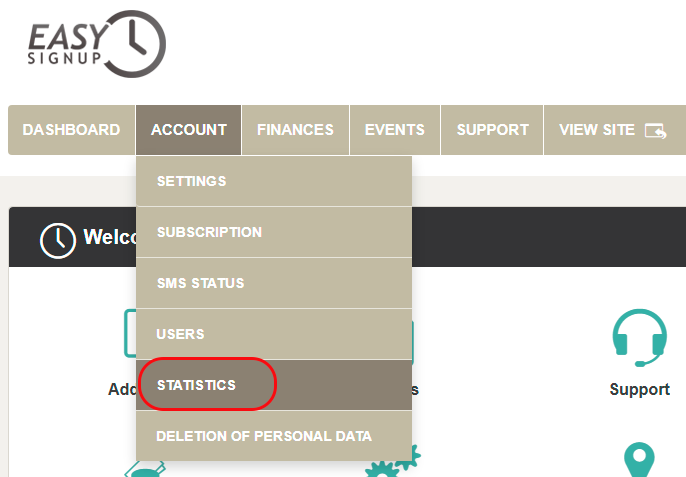
Here you willl find:
We elaborate this in the following.
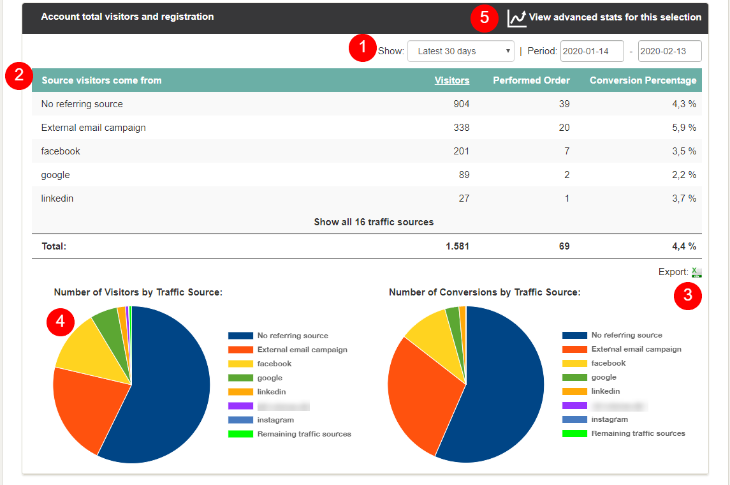
On the tab Account total visitors and registrations you will find:
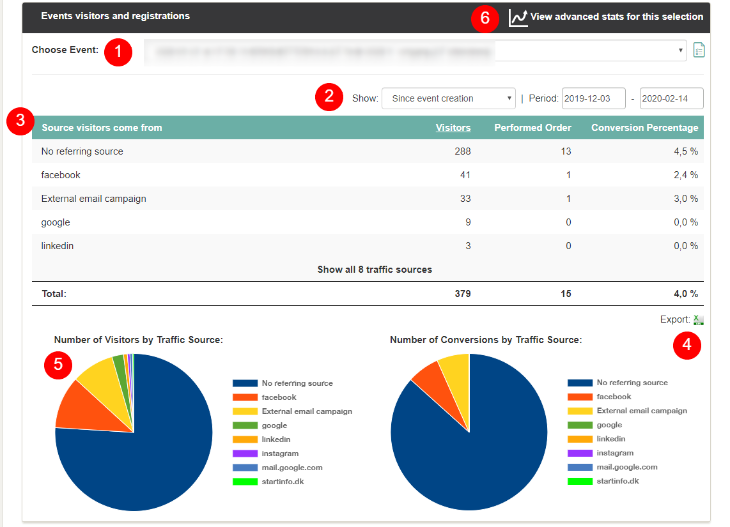
On the tab Events visitors and registrations you will find:
We've made a series of videos showing you how to use EasySignup.
Watch introductory videosWhether you are a participant or an organizer, some of the questions you might have about the IT-system are answered here.
Read the answers
Mette Jellesen and Jacob Thomsen
Support and Communication