How to hide or create a special "About us" text on an event

An administrator can insert a text about your company or organization, so visitors on your page can read about who you are. 

The text can be inserted in Account - > Settings - > Basic. 

This "About us" text will be visible at the bottom of your public event lists and as default at the bottom of each event. 
How to hide or create a special "About us" text on an event
You can choose to hide the text or insert another "About us" text on the single event. That could be relevant if you e.g. have a partner with whom you are organizing the event and therefore would like to mention the partner as well.


  • Start by finding the event in the list of events and click on the yellow icon to edit:

  • Then go to the tab "Presentation":

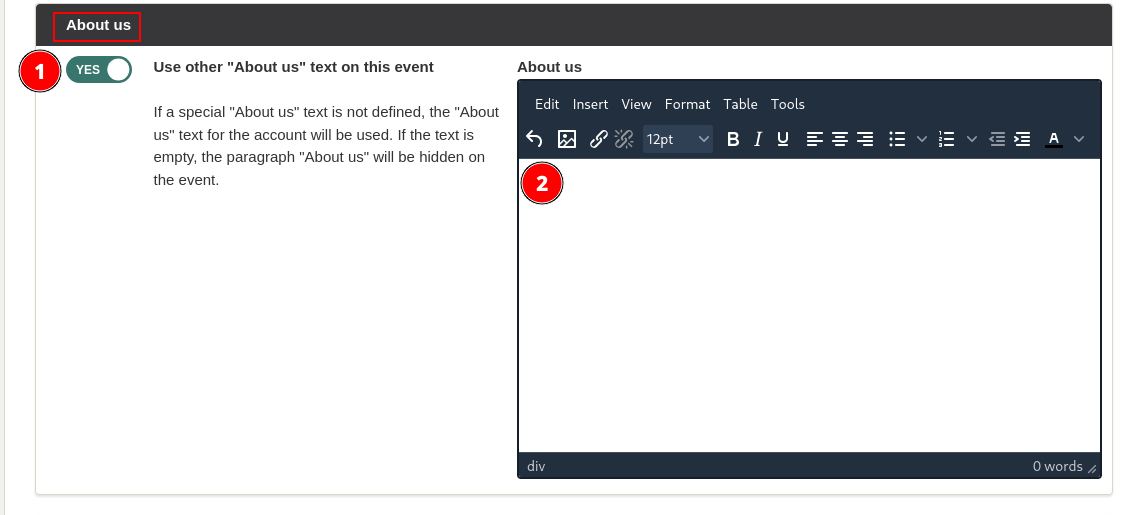
  • Find the "About us" section and select "Yes" (1) to "Use other "About us" text on this event". 

  • If you want to insert a new text, type it in the text field (2). If you want to hide the "About us" section, do not enter anything in the text field. 

  • Save at the bottom right corner: 

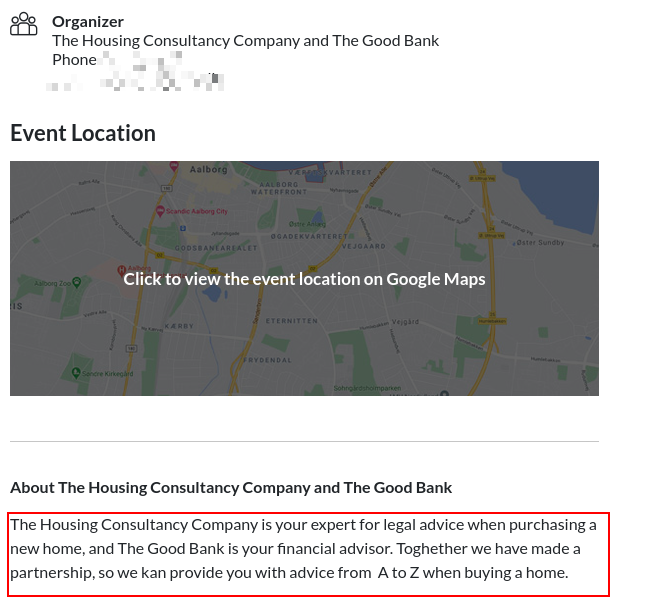
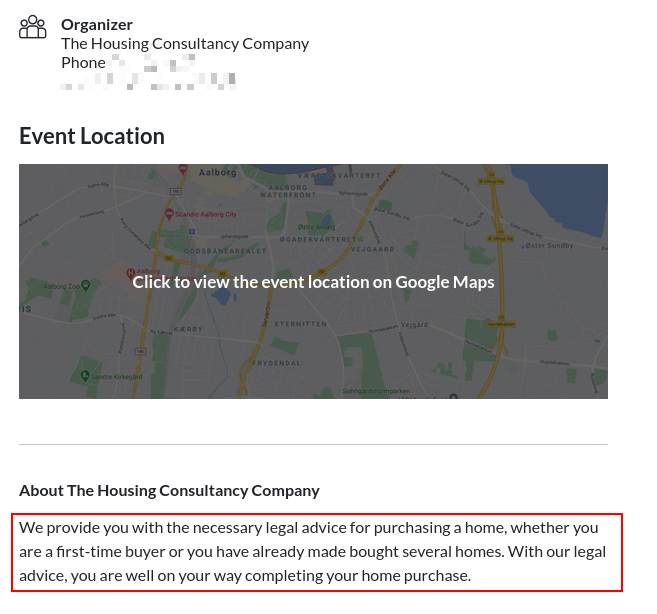
  • After saving the registration page will be updated. If you have not inserted any text the "About us" section will be hidden on the event registration page. If you have inserted a new text, this text will be visible at the bottom of the event registration page. 

Introductory Videos

We've made a series of videos showing you how to use EasySignup.

Watch introductory videos

Frequently Asked Questions

Whether you are a participant or an organizer, some of the questions you might have about the IT-system are answered here.

Read the answers

Support - weekdays
9:00 AM - 4:00 PM CET

Mette Jellesen and Jacob Thomsen
Support and Communication

support@easysignup.com

Get in touch

You must fill a name.
You entered an incomplete or invalid email.
You must fill a subject for the message.
You must fill out a message.

Organizations also using EasySignup