How to download a poster for the noticeboard that links to the event list

In EasySignup you can easily download a poster to hang for example on your noticeboard in order to draw attention to all of your exciting events.  

The poster links to your public event list of upcoming events. This allows passers-by to easily scan the a QR code and see which events you have. 
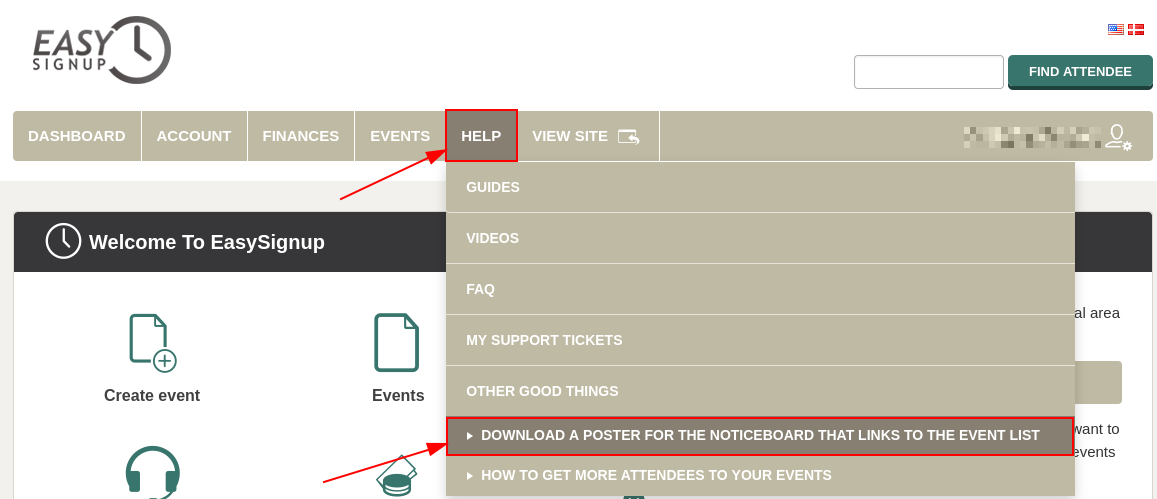
 

  • You can find the page where you can download the poster under  Help - > Other good things - > Download a poster for the noticeboard that links to the event list 


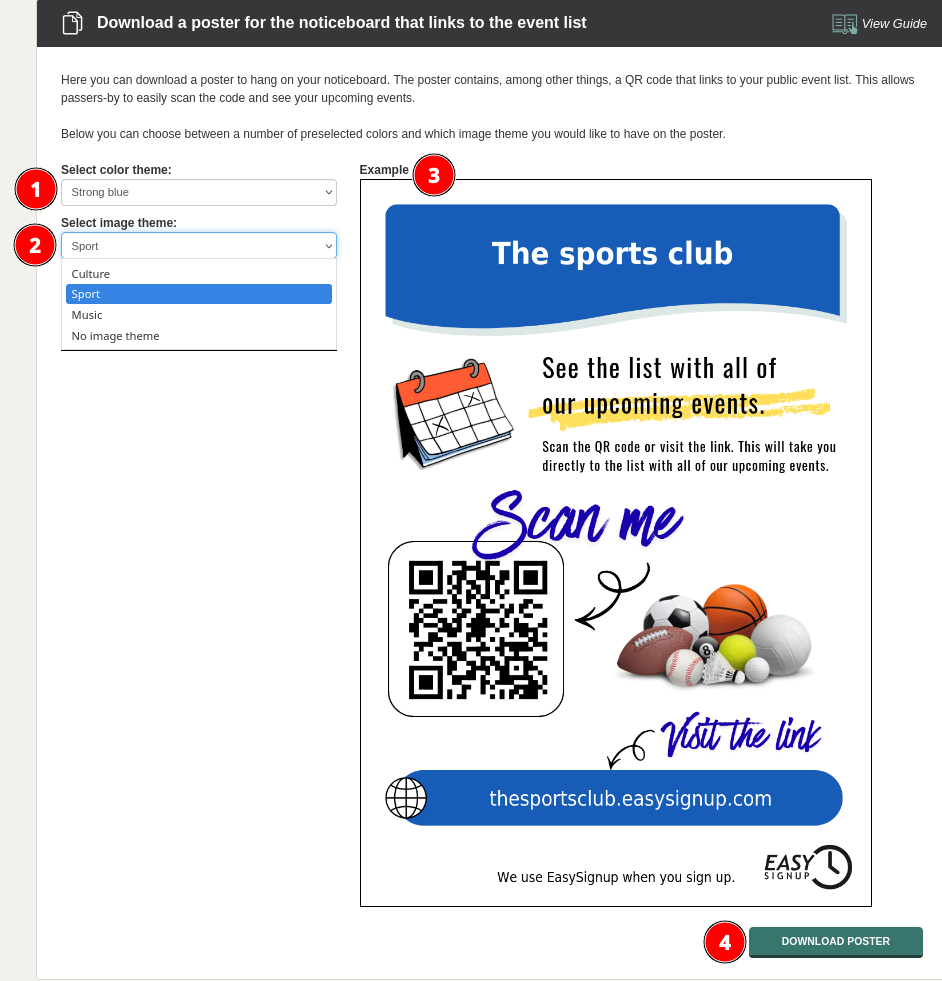
  • Ont the page you can select between a number of different color themes (1) and some different image themes (2). 
  • You can also see a preview of the poster (3). 
  • Press "Download poster" (4) in the bottom right corner to download the poster. Then you are ready to print and afterwards hang the poster on the noticeboard, refrigerator, bus stop or wherever you want.  


Introductory Videos

We've made a series of videos showing you how to use EasySignup.

Watch introductory videos

Frequently Asked Questions

Whether you are a participant or an organizer, some of the questions you might have about the IT-system are answered here.

Read the answers

Support - weekdays
9:00 AM - 4:00 PM CET

Mette Jellesen and Jacob Thomsen
Support and Communication

support@easysignup.com

Get in touch

You must fill a name.
You entered an incomplete or invalid email.
You must fill a subject for the message.
You must fill out a message.

Organizations also using EasySignup