Loading
Loading
Loading
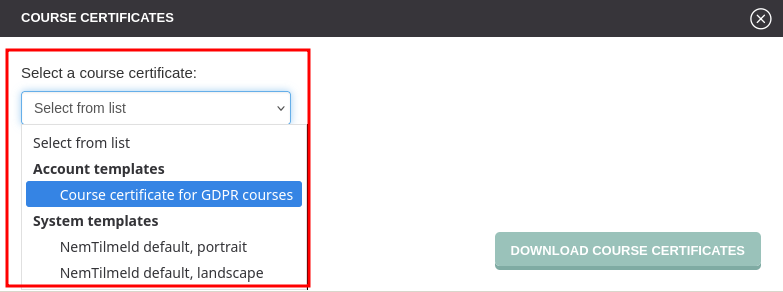
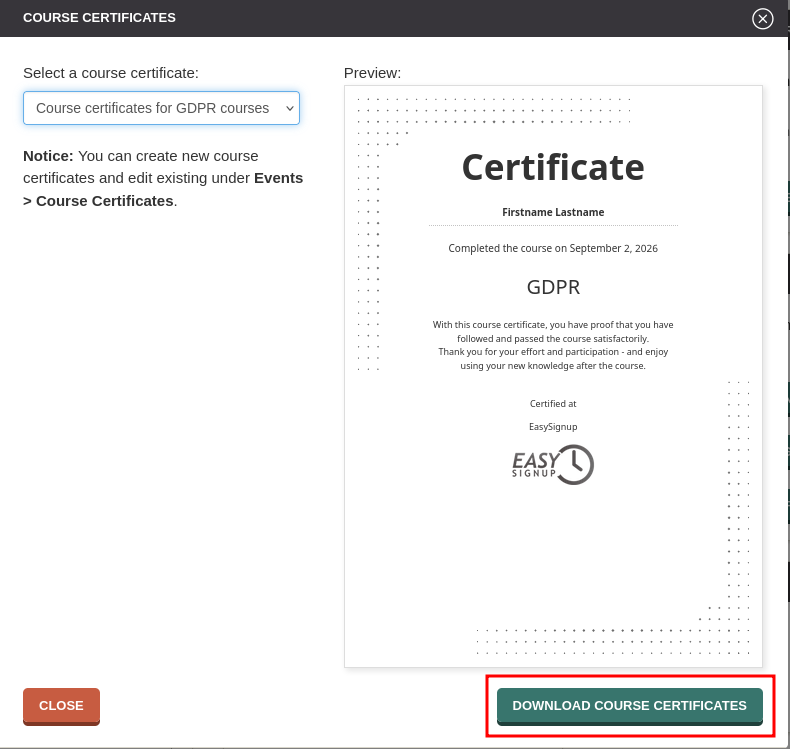
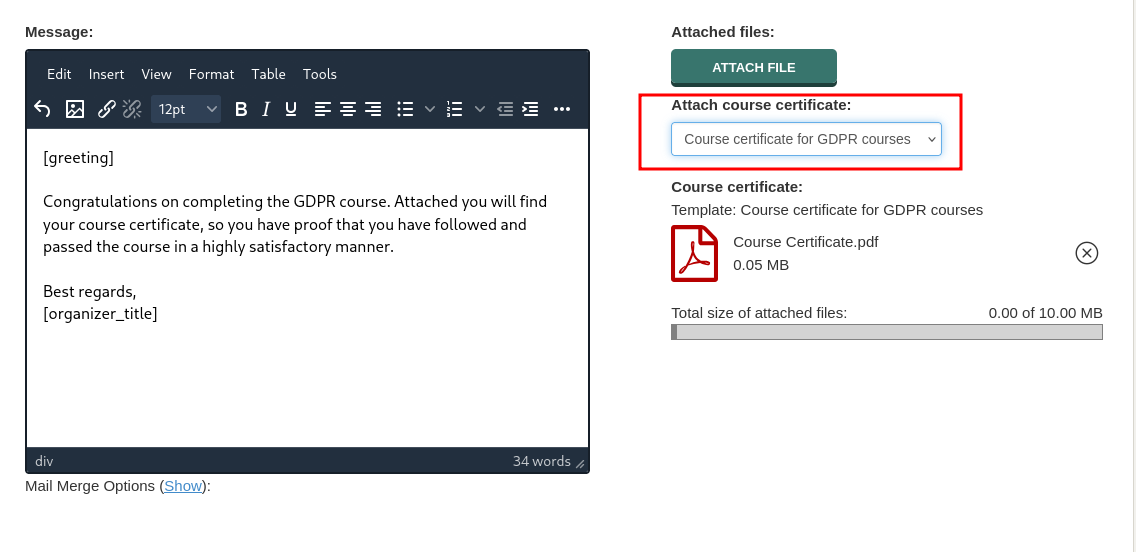
You can easily print course certificates or send them to your attendees by attaching the course certifcate as a file to an email message. This way each attendee will get an individual course certicate that mail merges with e.g. their name.
You can use the default templates from EasySignup or you can create your own template.
We recommend that you create your own template, in order to customize the text to suit your needs.
Note: To be able to print or attach the course certificates to an email, the event must be set to collect information about all attendees.
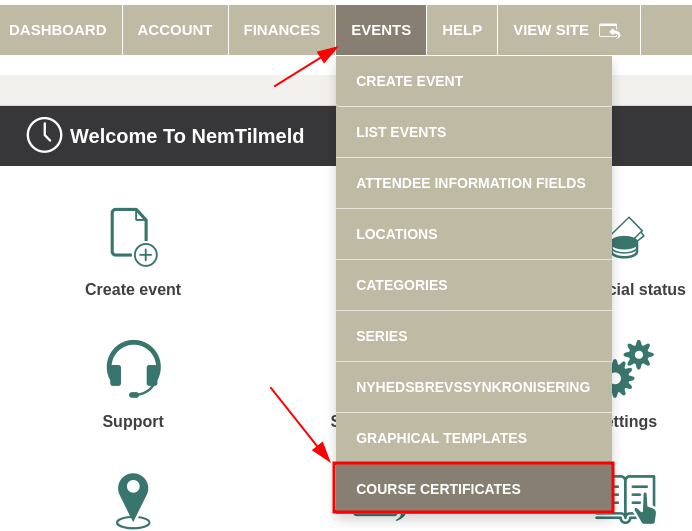
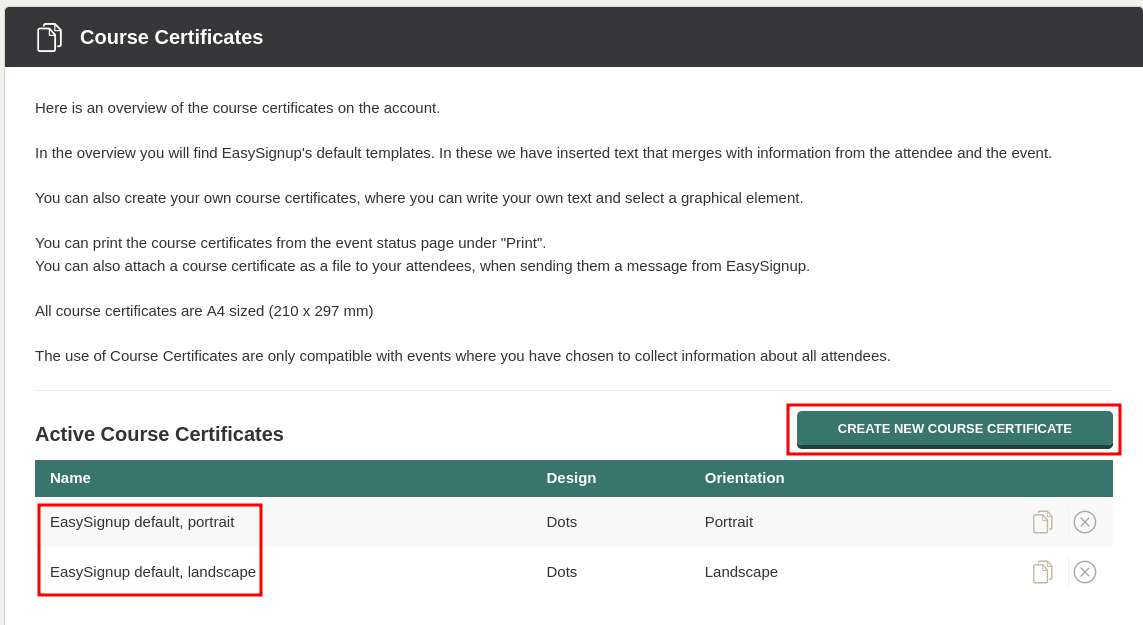
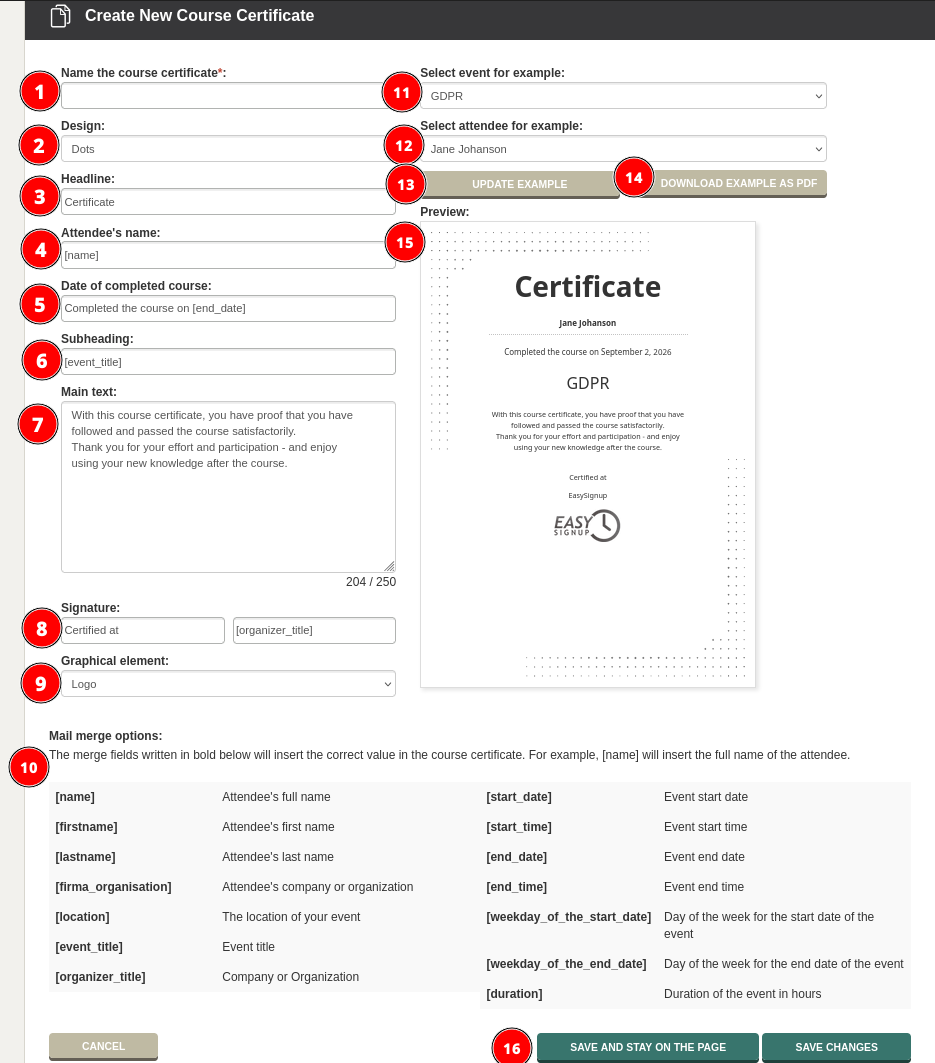
Once the course certificate is saved, it will be possible to use the certificate on all events on the account. However, the certificate will not be used unless something is actively done.
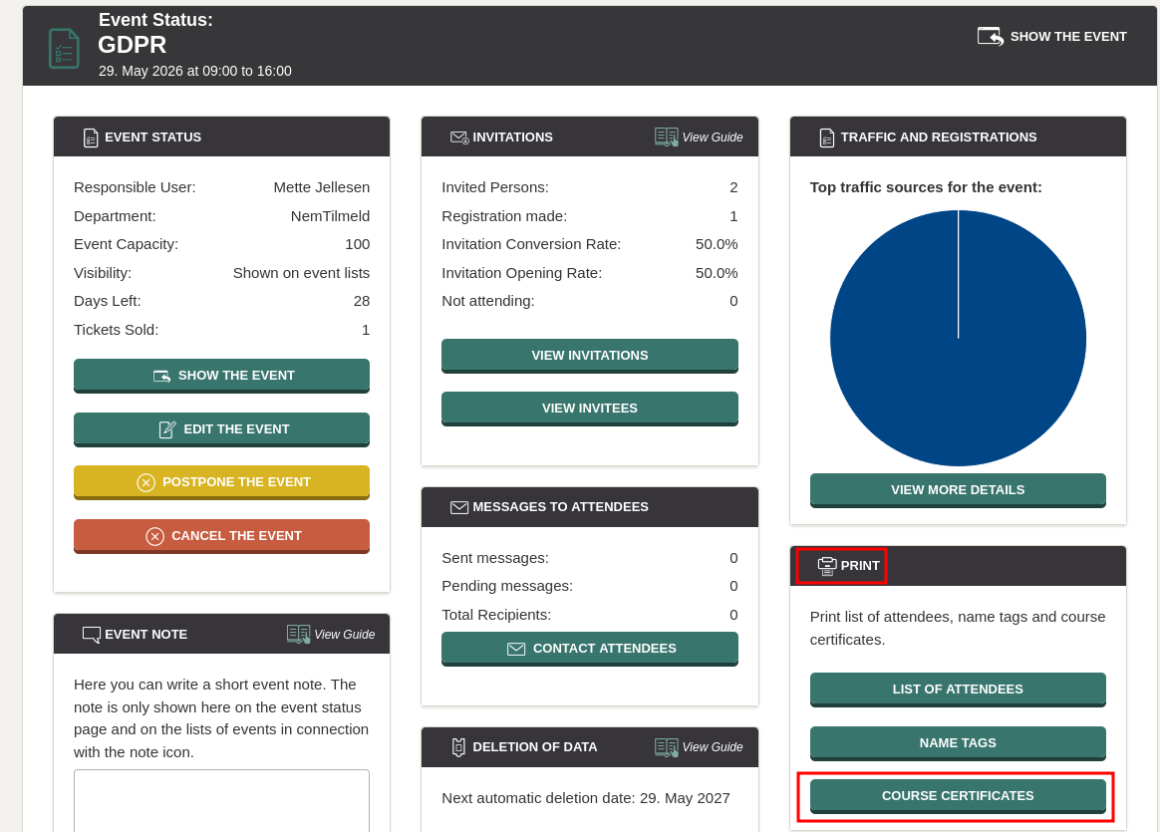
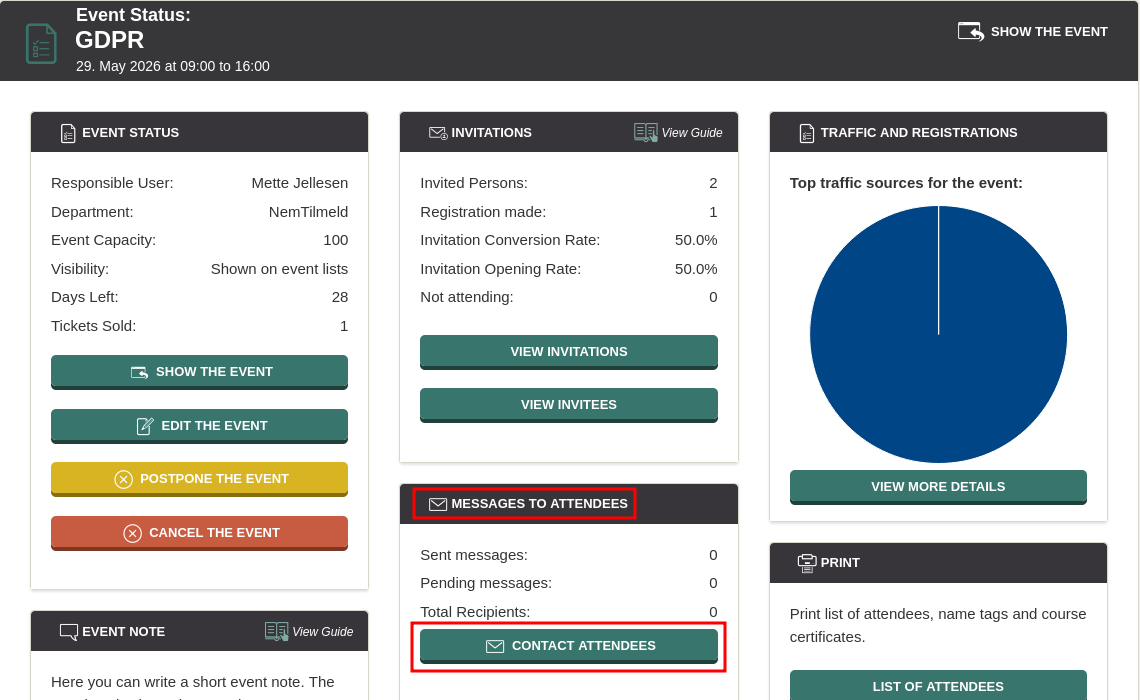
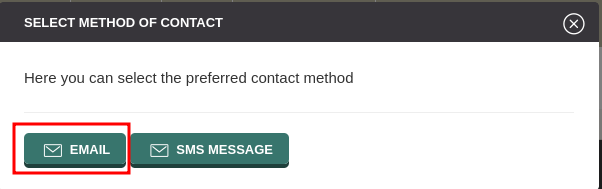
You can print the course certificate, and you can attach the certificate when sending a message to your attendees from EasySignup. See how below.
Note: You can only use course certificates for an event, if all necessary attendee information has been collected for all attendees. This way, you can avoid having blank fields on the course certificate. If not all information has been collected, you will be informed when printing or attaching the course certificate to an email to the attendees.
Print course certificates
We've made a series of videos showing you how to use EasySignup.
Watch introductory videosWhether you are a participant or an organizer, some of the questions you might have about the IT-system are answered here.
Read the answers
Mette Jellesen and Jacob Thomsen
Support and Communication