Loading
Loading
Loading
When you create your event in EasySignup, your registration page will get a unique link.
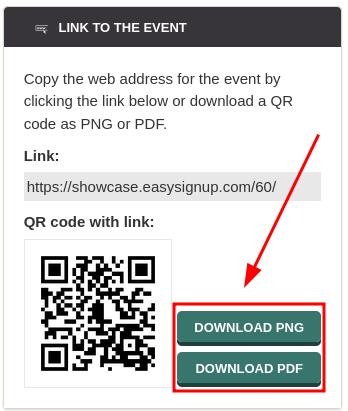
The link to your registration page can be downloaded as a QR code that can be easily scanned by interested parties using the camera on their mobile phone to get to the event's registration page.
This is especially useful if you are making printed material such as posters, flyers or four-metre-long banners, where the interested parties (for good reasons) cannot click on a link.
How to download the QR code for your event:

We've made a series of videos showing you how to use EasySignup.
Watch introductory videosWhether you are a participant or an organizer, some of the questions you might have about the IT-system are answered here.
Read the answers
Mette Jellesen and Jacob Thomsen
Support and Communication