Loading
Loading
Loading
When attendees register for your event, you can either collect attendee information about one attendee per registration or all attendees per registration. To distinguish between these situations, we name the attendee "main attendee" when you only collect information about one attendee per registration.
By only collecting information about the main attendee, the registration flow becomes simpler and faster.
On the other hand, collecting information about all attendees gives you the possibility to contact all attendees, print name tags and print an attendee list with all attendees.
By default, an event is set to collect attendee information about all attendees.
If you only want to collect information about the main attendee, do the following:

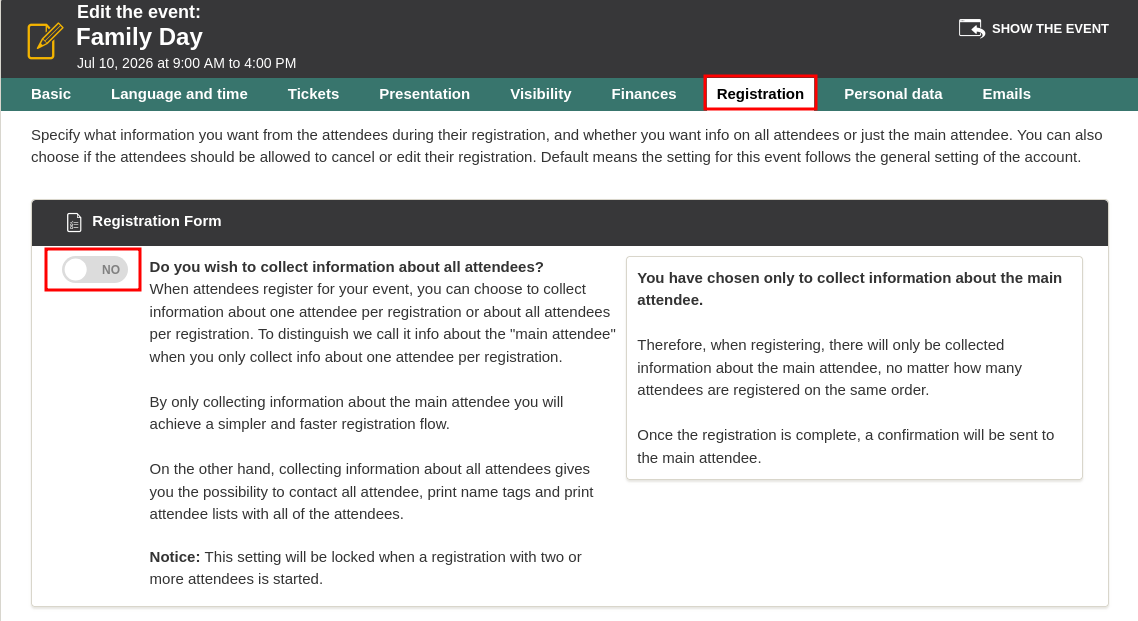

Once this setting is enabled, the orderer will only be asked to enter information about one attendee per registration.
This way, you don´t have to collect information about all 3-5-20 attendees who might be on the registration, and Jane, who is doing the registration, doesn't have to fill out information about all attendees.
We've made a series of videos showing you how to use EasySignup.
Watch introductory videosWhether you are a participant or an organizer, some of the questions you might have about the IT-system are answered here.
Read the answers
Mette Jellesen and Jacob Thomsen
Support and Communication