Loading
Loading
Loading
If you need to export the list of invitees, here is a step-by-step guide.
1. Click the event title or the status icon next to the event in the event overview to get to the status page.

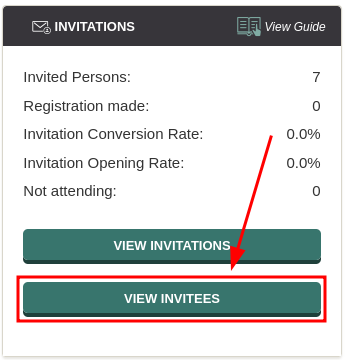
2. Go to the "INVITATIONS" box and click the green "View invitees" button.
3. Then go to the black bar and click "EXPORT" on the right side of the bar.

You will now get an Excel file that may contain the following information:
If you instead want to export all registered attendees, you can find this specific guide here.
We've made a series of videos showing you how to use EasySignup.
Watch introductory videosWhether you are a participant or an organizer, some of the questions you might have about the IT-system are answered here.
Read the answers
Mette Jellesen and Jacob Thomsen
Support and Communication