Ask a question on the confirmation page (applies to specific events)

Did you know that you can ask a question on the confirmation page to the person making the registration?
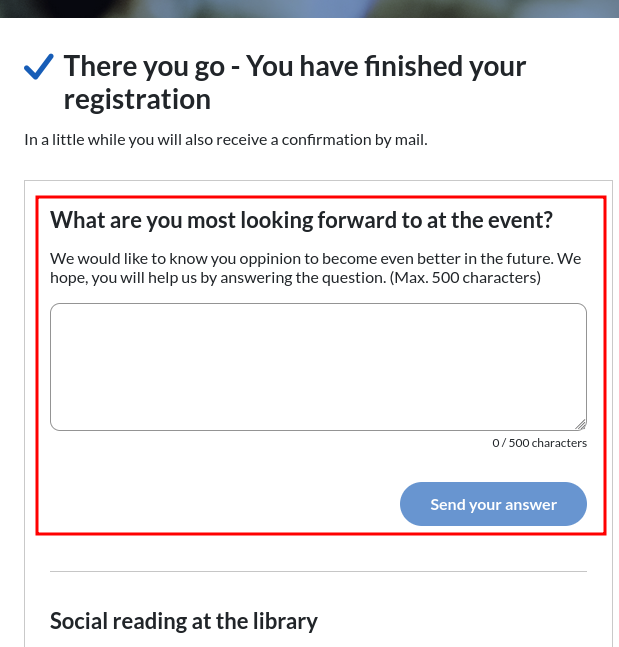
The idea is that you can gain insight into your attendees and their motivation to attend - and thus make (even) better events in the future.

EasySignup has made a number of evaluative questions in both Danish and English - depending on the language of the event. 

You can also create your own questions. However, these will not be translated and therefore not displayed if attendees register in a language other than Danish or English.

This guide shows you how to activate this feature on a single event.
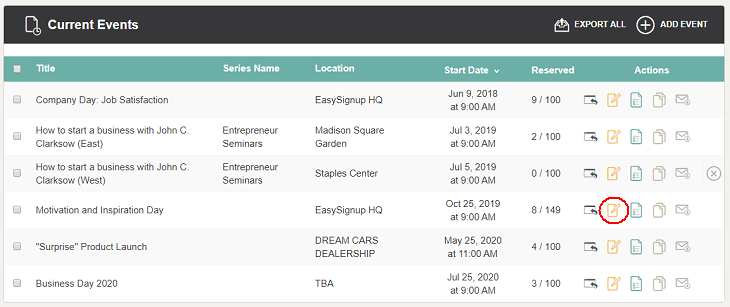
  • Find the setting on the page, where you edit the event. Click on the edit icon to edit an event.
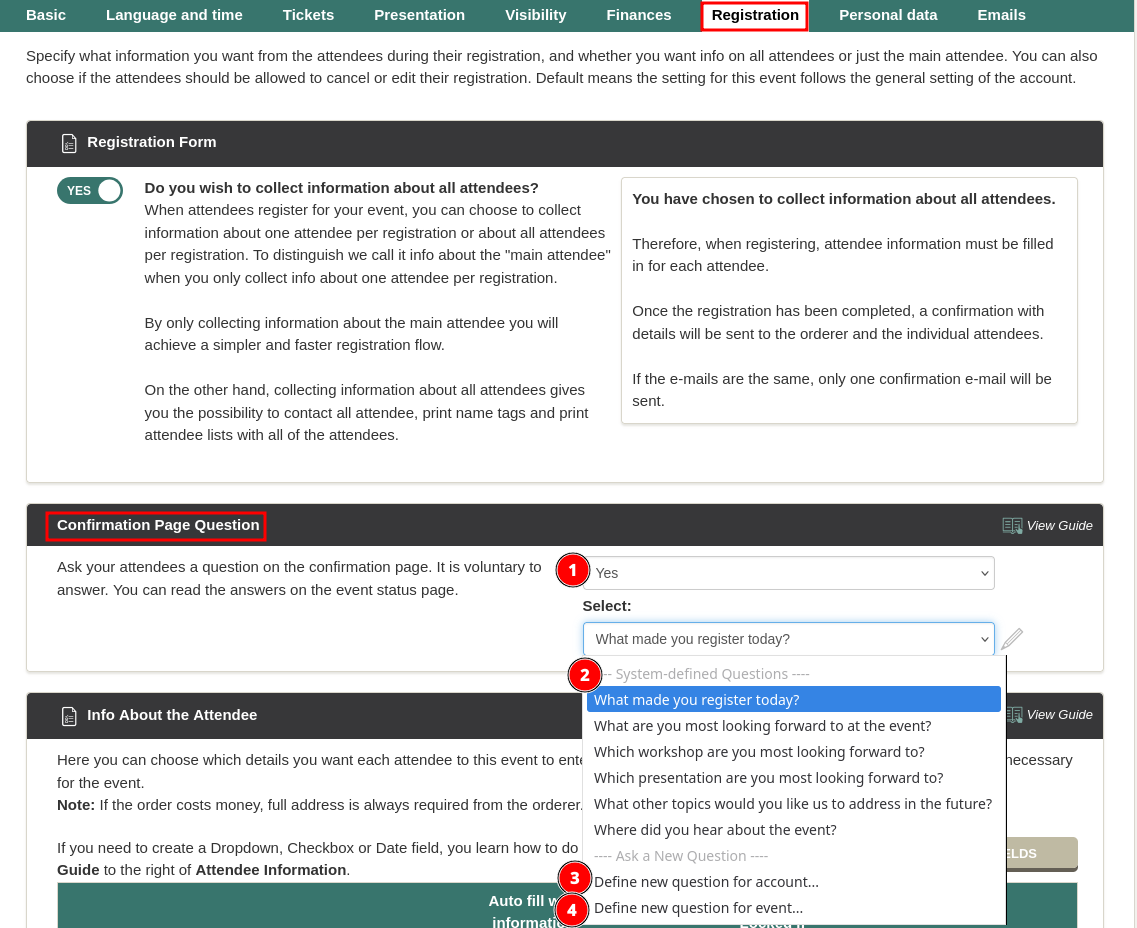
  • The setting is located under the tab "Registration" in the section "Confirmation Page Question".

  • Select "Yes" if you want to ask a question on the confirmation page (1). 

  • You can choose from a number of predefined questions (2). You can also create your own question by selecting "Define new question for account" (3) or "Define new question for event" (4). The question for the account will be selectable in admin for all events in the account, while the question for the event will only be selectable in admin for this event. 


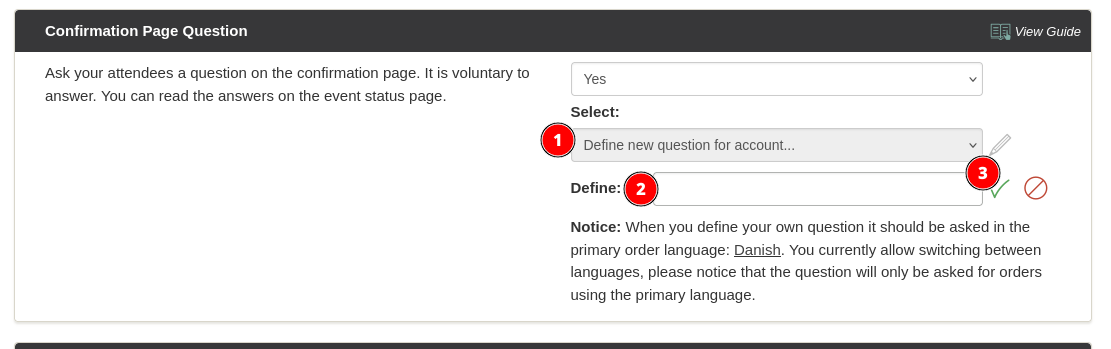
    If you choose to define your own question (1), enter the question (2) and click the green check mark (3). Then enter the question and click the green checkmark. 
  • Click "Save and stay on the page" to save and continue editing or "Save changes" to save and return to the list of events. Both are located at the bottom right-hand side.
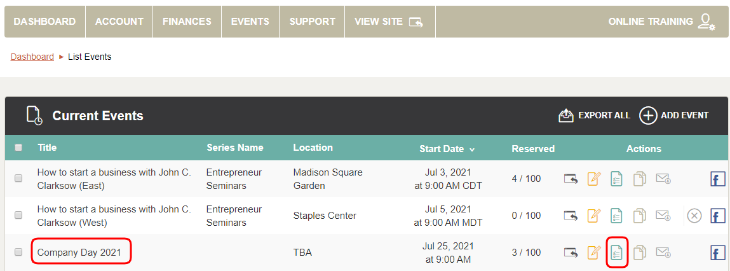
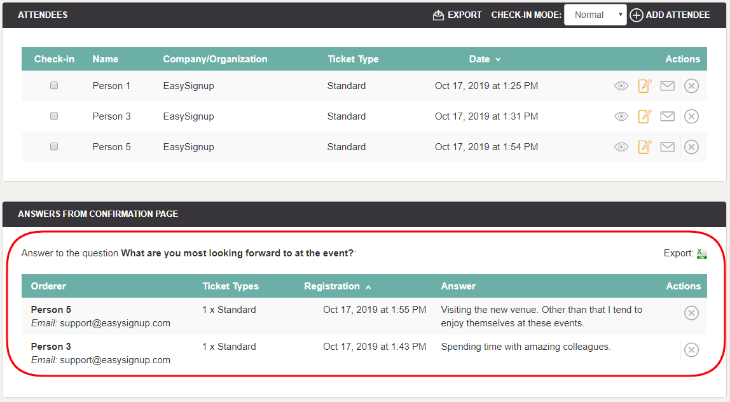
  • If you ask a question on the confirmation page, you can see the answers on the event report page, which you can access by clicking on the event title or the status icon in the list of events.
  • The list of answers is located below the list of attendees. Note that the latest answers are at the top. You can download the answers into a spreadsheet by clicking "Export".

If you wish to ask the same question on all newly created events please refer to this guide.

Introductory Videos

We've made a series of videos showing you how to use EasySignup.

Watch introductory videos

Frequently Asked Questions

Whether you are a participant or an organizer, some of the questions you might have about the IT-system are answered here.

Read the answers

Support - weekdays
9:00 AM - 4:00 PM CET

Mette Jellesen and Jacob Thomsen
Support and Communication

support@easysignup.com

Get in touch

You must fill a name.
You entered an incomplete or invalid email.
You must fill a subject for the message.
You must fill out a message.

Organizations also using EasySignup